We’ve all been there. You have a simple question for a company, so you open their web chat, and a friendly little bot pops up. You type your query, wait a few seconds, and get an answer that’s at best confirming something you already knew. At worst, the answer is completely irrelevant.
Recently, our CEO asked a major airline’s chatbot, “Can I fly with a broken leg?” Instead of clarifying the question, the bot confidently provided a link with advice on flying while pregnant. It’s a funny but frustratingly common example of a good intention gone wrong.
This is the core of the problem: many businesses have mistaken scripted, rule-based chatbots for true Conversational Artificial Intelligence. They are not the same.
As you can see from the video above, real Conversational AI is about understanding, adapting, and responding like a human. It’s about moving beyond rigid scripts to have a genuine dialogue. In this guide, we’ll break down what Conversational AI really is, how it works behind the scenes (ASR, NLU, and NLP), and how you can use it to decouple your contact center’s growth from your headcount costs.
What is True Conversational AI?
Conversational AI is technology that allows a machine to understand, process, and respond to human language (spoken or written) in a way that feels natural and intelligent. Think of it less like a computer program and more like your sharpest new (virtual) team member.
At its core, conversational AI leverages a combination of machine learning (ML), natural language processing (NLP), and speech recognition (for voice interactions) to simulate human conversations.
Unlike a traditional chatbot that gets stuck if you don’t use the exact right keyword, a true Conversational AI platform is designed to handle nuance:
- It Understands Intent, Not Just Keywords: It figures out what a customer really means (“I can’t log in” vs. “My password isn’t working”), rather than just scanning for the word “password.”
- It Connects to Your Business Systems: It accesses real-time Salesforce data to give personalized, accurate answers, rather than generic FAQs.
- It Learns and Adapts: It gets smarter over time, identifying patterns in customer queries to improve resolution rates.
The goal isn’t to trick a customer into thinking they’re talking to a person. The goal is to get them the right answer, quickly and effortlessly, without the frustration of a broken, robotic, step-by-painful-step experience.
Is Conversational AI the Same as Traditional Chatbots?
A common misconception is that conversational AI is just another term for AI chatbots. While the two are related, they are not interchangeable.
- Chatbots (Rule-Based): Follow a rigid decision tree (If X, say Y). If the customer goes off-script, the bot fails.
- Conversational AI (Probabilistic): Uses data to determine the most likely intent of the user and constructs a response dynamically.
Where You’ll Find Conversational AI
You’ve likely interacted with conversational AI technology without even realizing it. Businesses are deploying conversational AI tools across a range of customer touchpoints, including:
- Virtual customer service agents on websites and mobile apps
- AI assistants on smart devices
- AI Agents and Assistants embedded into IVR (interactive voice response) systems in call centers, replacing “Press 1 for Sales” with “Tell me how I can help you today.”
- Messaging apps integrated with intelligent automation
- In-app support or product recommendation systems
Conversational AI Can Be Chat or Voice. What’s the Difference?
Chat-Based Conversational AI
Chat-based conversational AI is typically experienced through text interfaces like website chatbots, messaging apps (e.g., WhatsApp, Facebook Messenger), or in-app support features
These AI agents interpret customer queries and respond with relevant information or actions. They’re commonly used for tasks like order tracking, FAQs, appointment scheduling, or triaging support requests.
Advantages of Chat AI:
- Asynchronous: Customers can reply in their own time.
- Multitasking: Ideal for users who are working or in public spaces.
- Visuals: Can display links, images, or buttons
Limitations of Chat AI:
- Can feel robotic if not properly designed
- Lacks the emotional depth that voice interactions offer
- May not always capture nuanced intent from written language
Voice-Based Conversational AI
Voice-based conversational AI is used to power real-time, spoken interactions, often over the phone or via smart speakers. In customer service, it’s most commonly found in AI-powered IVRs, voice assistants like Siri, Alexa, and Google Assistant, or AI Agents integrated into call centers or outbound calling campaigns
These systems convert speech into text, interpret it, and then generate a response with contextual answers using natural, human-sounding language.
Advantages of Voice AI:
- Speed: Humans can speak 150 words per minute but type only 40. Voice is the fastest way to resolve complex issues.
- Empathy & Nuance: Essential for high-stakes, urgent, or emotional situations where typing feels impersonal.
- Accessibility: Critical for users who cannot easily type or navigate a screen.
Limitations of Voice AI:
- Requires more advanced integration with telephony and backend systems – unless your contact provider provides conversational AI that is easy to set up and build into your systems from the get-go.
- Can be more complex to implement and maintain, particularly in multi-language setups
- Sensitive to accents or noisy environments (though AI improvements are closing this gap)
Why Voice is the Strategic Lever for 2026
While chat-based conversational AI is great for simple, transactional queries, voice remains the most powerful channel for conversations that matter. When a situation is complex, urgent, or emotional, we instinctively want to talk, not type.
Think about a client calling a law firm about a sensitive personal injury case, or a patient contacting their healthcare provider with a worrying question. In these moments, typing out the details in a tiny chat window is impractical and impersonal. Voice-based conversational AI allows for nuance, empathy, and clarity that text simply can’t match.
However, relying solely on human agents for voice creates a linear scaling constraint: as your customer base grows, your costs grow at the same rate. Voice AI breaks this link, allowing you to offer high-touch voice experiences at scale without linearly increasing headcount.
| Factor | Chat-Based AI | Voice-Based AI |
| Response Speed | Moderate. Depends on typing speed. | Fast. Speech is quicker than typing. |
| Natural for Customers | Moderate. Great for low-stakes, simple tasks. | High. Mirrors normal human interaction. |
| Suitability for Emotional Scenarios | Low. Lacks tone detection or empathy. | High. Tone and pacing can add empathy. |
| Accessibility & Inclusivity | Moderate. Requires reading/typing. | High. Essential for users with disabilities. |
| Channel Fit for Support Calls | Limited. Better for web-initiated issues. | Ideal. Fits natural phone interaction. |
| Implementation Complexity | Lower. Often plug-and-play tools | Higher. Requires voice infrastructure, ASR, NLU. |
| Best For | FAQs, scheduling, quick updates | Complaints, troubleshooting, IVR deflection. |
How Conversational AI Works: The Technical Process
At its core, conversational AI is designed to facilitate natural conversations between people and machines. But behind the scenes, a sophisticated four-step process is happening in milliseconds.
Each step involves a different component of the AI ecosystem, working together seamlessly and often in real time – making integration (or CRM-native solutions) vitally important.
Automatic Speech Recognition (ASR): The “Ears”
The process starts when a customer initiates a conversation, either by talking or typing. Before the AI can understand what you want, it must understand what you said. ASR technology captures spoken audio waves and transcribes them into text.
- Challenge: Background noise, accents, and poor phone lines.
- Solution: Advanced ASR (like the kind Natterbox uses) is tuned to filter noise and handle diverse dialects, ensuring high accuracy even in real-world environments.
Natural Language Understanding (NLU): The “Brain”
Once the input is in text form, the AI applies Natural Language Understanding (NLU). This is the “thinking” step that tries to understand what the user actually means.
It looks for three specific things:
- Intents: What is the user trying to do? (e.g., Check Balance, Book Flight, Reset Password).
- Entities: What are the specific details? (e.g., “$500”, “Next Tuesday”, “Order #12345”).
- Context: Unlike basic bots, NLU remembers previous turns in the conversation. If you say “Book a flight to London,” and then say “Make it for two people,” the AI knows “it” refers to the flight.
Just as you’d train a new hire to recognize that “Can you tell me how much money I have?” and “What’s my balance?” have the same intent, even if the words differ – conversational AI can do the same. NLU identifies the customer’s true intent. It’s the difference between hearing keywords and understanding meaning.
Request Fulfillment: The “Hands”
A disconnected AI is just a fancy FAQ. Where the magic really happens with conversational AI is when AI Agents and Assistants are deeply integrated with your core tech stack. After understanding the request, the conversational AI seamlessly interacts with your back-end systems to either retrieve the needed information or execute an action.
Depending on the use case, the system may connect to:
- CRM platforms (e.g., for pulling account details or updating contact information)
- Knowledge bases or FAQs (to provide help documentation)
- Order management or billing systems
- Third-party APIs (e.g., scheduling tools or inventory systems)
For example, a leading law firm uses Natterbox AI to manage its after-hours client intake. When a potential new client calls, the AI doesn’t just take a message. It:
1) Qualifies new customers: Gathers key information conversationally (name, number, description of the incident) to actively qualify the caller.
2) Reduces manual data entry: Automatically creates a custom “intake object” directly within their Salesforce instance. It’s able to do this because their AI is built directly into their Salesforce, ensuring that every new lead is captured in a standardized way without any manual data entry.
3) Assigns it to the right legal team for immediate follow-up.
This isn’t a “plug and pray” solution; it’s an intelligent agent working inside their most critical system. It eliminates manual data entry, ensures every new lead is captured perfectly, and frees up the legal team to focus on practicing law, not administration.
Natural Language Generation (NLG): The “Voice”
Finally, the AI delivers the answer using Natural Language Generation (NLG). In chat, it’s a clear, written response. In a voice interaction, Text-to-Speech (TTS) technology gives the AI a voice. But it’s more than just a robotic voice reading a script. It’s about delivering the information in a warm, clear, and brand-aligned way (in both language and tone) that leaves the customer feeling heard and helped.
In this 2-minute clip from a recent demo webinar, you’ll hear how a Natterbox conversational AI Assistant can – in under 2 minutes – have a warm, empathetic conversation with a prospective traveller.
Where Is Conversational AI Being Used Today?
Forward-looking businesses are already making significant investments into Conversational AI. From enhancing customer satisfaction to automating repetitive tasks, organizations are integrating conversational AI platforms to deliver growth, improve operational efficiency, and improve customer experience.
| Solution / Industry | Key Use Cases |
| Customer Service / Contact Centers | Handling high-volume, repetitive inquiries (e.g., password resets, order tracking) Deflecting calls from agents using voice-based virtual assistants Offering 24/7 self-service via chatbots and voicebots |
| Financial Services | Help customers check balances, transfer funds, or review recent transactions Provide account alerts or fraud notifications using personalized voice prompts Reduce call center load by automating simple inquiries |
| Healthcare | Schedule appointments and send reminders Automate triage for symptom checking, allowing the customers to explain their symptoms verbally Provide post-visit engagement or prescription follow-ups |
| Insurance | Guide users through claims submission Answer policy and coverage questions Provide status updates on active incidents |
| B2B Sales and Support | AI-driven call routing based on urgency or topic Real-time call summaries sent to CRMs like Salesforce Scalable support for distributors, vendors, or channel partners |
| Retail & Ecommerce | Answer product questions across voice and chat Track shipments or update delivery preferences Offer personalized purchase recommendations |
| Recruitment and HR | Screen candidates through automated voice or chat interviews Schedule interviews across different time zones Provide real-time updates on hiring pipelines |
| Manufacturing and Logistics | Automated reporting tools via voice-enabled dashboards AI agents that assist with inventory or supply chain inquiries Multi-language support for field service teams |
The Natterbox Difference: AI Built for the Real World
Not all Conversational AI platforms are created equal. Many are tech solutions looking for a problem. Natterbox’s AI Workforce is different because we were born in the contact center. With over 15 years of experience, we build tools that make agents’ lives easier and customer experiences better, because we know what it takes to succeed on the front lines.
Built Voice-First for Real-Time Phone Interactions
We don’t treat voice as an add-on. Our platform is engineered for the complexities of real-time voice conversations, built on a proprietary telco stack that ensures reliability and crystal-clear quality. You can’t have a great AI conversation on a bad line.
Our Conversational AI Agents and Assistants are designed to:
- Understand the flow and emotional context of spoken dialogue
- Offer seamless hand-offs from AI to live agent
- Manage interruptions, speaker overlap, and natural pauses, just like a real phone call
Salesforce-Native for Security & Context
Natterbox is natively built on Salesforce. This isn’t just a technical detail; it’s a security and efficiency advantage.
- Zero-Friction Hand-offs: If the AI needs to transfer to a human, the agent receives the full transcript and context instantly within Salesforce.
- No Data Silos: Your AI acts on the single source of truth—your CRM.
- Secure Architecture: We respect your existing Salesforce security boundaries and governance limits.
Proven Results
Our customers are already proving the model. We Buy Any Home deployed Natterbox AI to handle overflow during peak times. The result? They recovered 1,000 missed calls per month—leads that previously would have gone to voicemail or a competitor. By automating the capture of these opportunities, they increased revenue potential without adding headcount stress.
Built for Compliance and Scalability
In industries where security and compliance are non-negotiable, Natterbox provides a robust foundation you can trust by:
- Offering full control over call recording, retention, and encryption settings
- Supporting GDPR, HIPAA, and other industry-specific compliance mandates
- Scaling effortlessly across global operations and distributed teams
Whether you’re serving customers across continents or scaling up seasonal support, Natterbox provides both the reliability and the governance your business requires.
Ready for a Conversation?
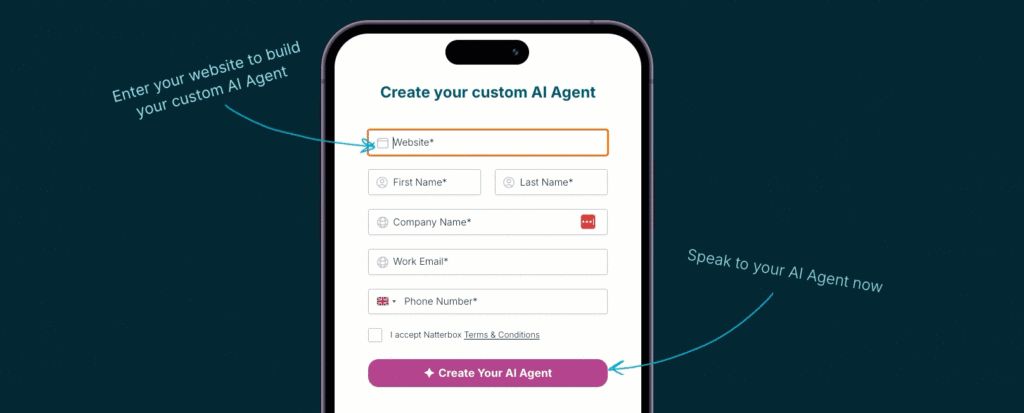
Now you know how Conversational AI works, try it out for yourself. Enter your business website to activate your custom AI Agent. Within 60 seconds, you’ll be able to phone in and have a real conversation. Role-play as a customer or a lead for your business, and hear it in action.